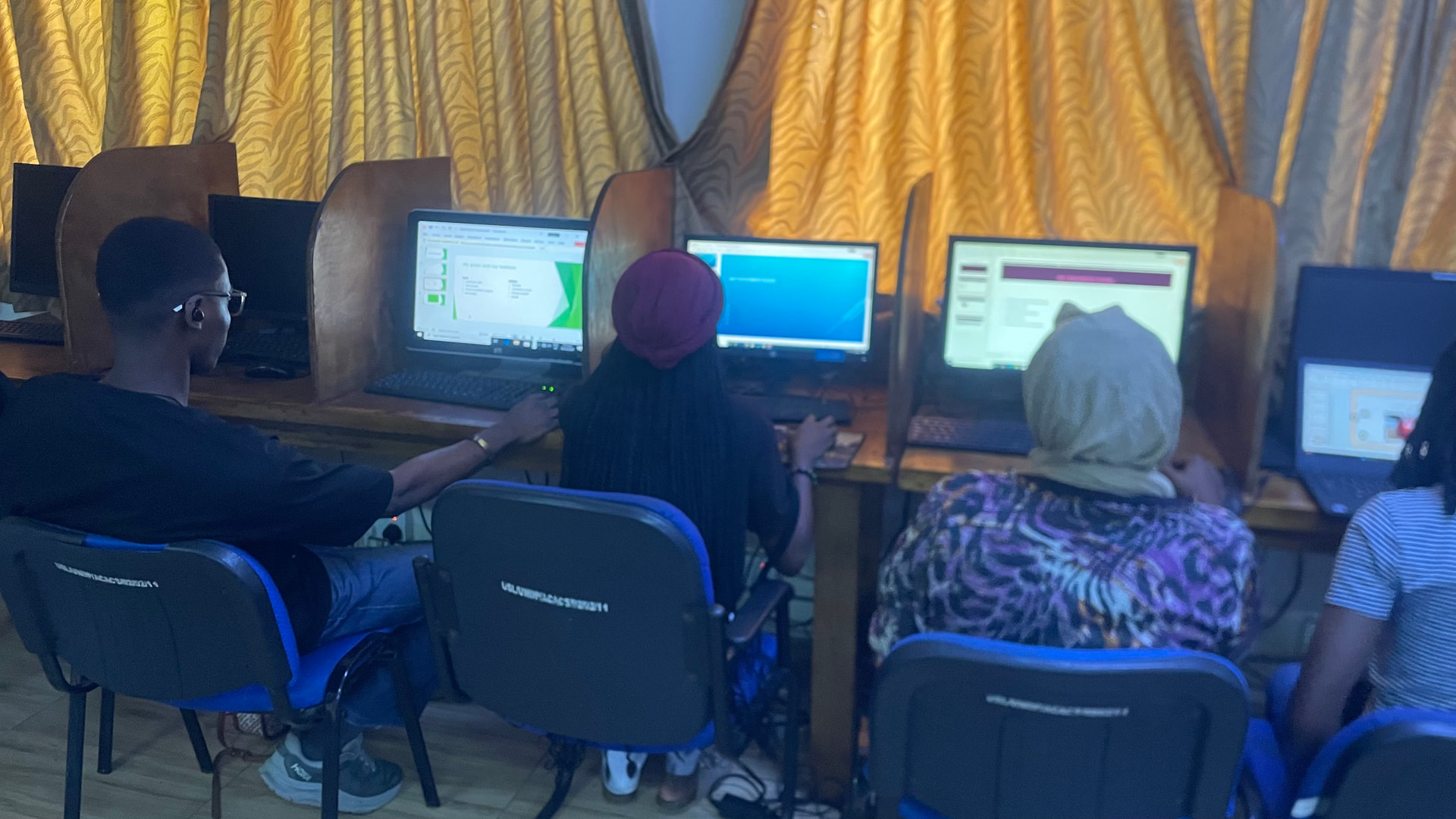
Event Report: Essential Digital Skills Training
Date: 20 January – 12 February 2026
Venue: Digital Learning Hub, Fourah Bay College
Overview
The Essential Digital Skills Training was conducted from 20 January to 12 February 2026 at the Digital Learning Hub (DLH), Fourah Bay College.
This initiative was launched in response to an observed digital skills gap among students and young innovators, particularly the lack of foundational competencies required to meaningfully contribute to Digital Public Goods (DPG) initiatives and open-source projects.
The program served as a foundational capacity-building intervention aimed at strengthening digital literacy, improving productivity skills, and preparing participants for more advanced engagement within digital and innovation ecosystems.
The training was facilitated by:
- Iyeba Alpha Kallon
- Rugiatu Kargbo
- Alusine Swaray
Rationale
As interest in Digital Public Goods and open-source innovation continues to grow, it became evident that many students lacked essential digital literacy skills necessary for active participation.
Key challenges identified included:
- Limited proficiency in Microsoft Office tools
- Weak document formatting and presentation skills
- Minimal exposure to spreadsheets and data analysis
- Low confidence in using digital tools effectively
To address this gap, the Essential Digital Skills Training was introduced as a structured foundational program to strengthen digital readiness before transitioning learners into more advanced technical and innovation-driven activities.
Program Structure
The training was delivered over four weeks with a strong emphasis on hands-on practice and applied learning.
Week 1: Computer Fundamentals
The first week focused on core computer literacy skills.
Topics covered included:
- Introduction to computer hardware and software
- File management and organization
- Typing skills and basic formatting
- Navigating the Windows operating system
Week 2: Microsoft Word
The second week concentrated on professional document preparation.
Participants learned:
- Creating and editing documents
- Formatting text and paragraphs
- Inserting images and tables
- Adjusting margins and spacing
- Structuring formal reports
Week 3: Microsoft Excel
Week three introduced spreadsheet literacy and basic data handling.
Key areas included:
- Understanding spreadsheet structure (rows, columns, cells)
- Using formulas such as SUM and AVERAGE
- Creating structured grade sheets
- Generating and formatting charts
Week 4: Microsoft PowerPoint
The final week focused on effective presentation and digital communication skills.
Participants were taught:
- Designing structured slide presentations
- Applying themes and transitions
- Inserting images and slide numbers
- Presentation design best practices
Assessment & Certification
At the end of the program, participants completed a Practical Certification Examination covering:
- Microsoft Word
- Microsoft Excel
- Microsoft PowerPoint
The assessment evaluated formatting accuracy, formula application, document structure, presentation layout, and overall neatness.
The results reflected significant improvement in digital competence and confidence across participants.
Impact & Outcomes
The Essential Digital Skills Training achieved the following outcomes:
- Strengthened foundational digital literacy
- Improved professional document preparation skills
- Enhanced spreadsheet calculation and data visualization abilities
- Increased digital confidence among participants
- Established a stronger pathway toward engagement in Digital Public Goods and open-source initiatives
The program successfully positioned learners to engage more effectively within academic, professional, and innovation-driven environments.
Next Steps
Following the successful completion of the Essential Digital Skills Training, the next phase will focus on advancing participants’ technical and creative competencies based on their expressed interests and learning needs.
During the program, participants strongly requested more advanced and practical sessions. In response, the proposed next phase will include:
- Graphic Design & Digital Creativity Training – Introducing participants to design principles and creative digital tools
- Introduction to 3D Printing – Providing exposure to 3D modeling concepts and hands-on 3D printing demonstrations
- Coding Fundamentals – Teaching basic programming concepts to build computational thinking and problem-solving skills
- Open-Source Contribution Workshops – Organizing introductory sessions to guide participants on how to contribute to collaborative digital projects
- Mentorship & Innovation Support – Providing structured mentorship for participants interested in technology innovation and project development
This progression ensures a clear transition from foundational digital literacy to advanced technical skill development and active participation in innovation ecosystems within the university community.
Conclusion
The Essential Digital Skills Training conducted at the Digital Learning Hub, Fourah Bay College, was successfully implemented and achieved its core objectives.
By addressing foundational digital skill gaps, this initiative lays the groundwork for deeper engagement in Digital Public Goods, open-source collaboration, and technology-driven innovation. Continued capacity-building efforts will further strengthen digital participation and readiness within the university ecosystem.
Prepared by:
Iyeba Alpha Kallon